
Are you wondering how to reset your garage door sensor? This guide provides fast, effective steps to troubleshoot and fix your garage door problems today.
Garage door sensors are among your system’s most important safety features. They prevent the door from closing if there’s an obstruction in its path. But when they malfunction, your garage door might refuse to close properly. Naturally, this leads many homeowners to ask, “How to reset the garage door sensor?“
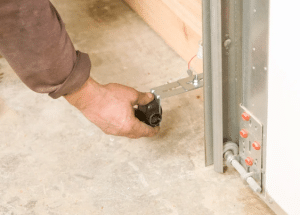
Sensor problems are more common than you might think, whether due to alignment issues, dust on the lens, or an interrupted power supply. Fortunately, resetting the sensors can often resolve the issue without needing a full repair. Understanding how to reset a garage door sensor can save you both time and money.
This article will explain what causes sensor failures, how to reset them correctly, and what to do when the reset doesn’t work.
Common Reasons Your Garage Door Sensor Isn’t Working
Below are some of the most common reasons why your garage door sensor might not be working properly, along with suggestions for identifying and resolving these issues.
Sensor Alignment Issues
One frequent cause of sensor malfunction is poor alignment. Garage door sensors work by sending an invisible infrared beam from one side of the door opening to the other. If the sensors are not properly aligned and do not face each other directly, the beam may be disrupted.
The system might then interpret the disruption as an obstruction and stop or reverse the door while closing. Even slight movement from vibration, impact, or settling of the garage structure can shift the sensors. To correct the problem, gently adjust the sensors until both indicator lights (usually green and amber) are solid and no longer blinking.
Dirty or Obstructed Lenses
Garage environments are often dusty, and over time, dirt, debris, or even spider webs can accumulate on the sensors’ lenses. These obstructions can interfere with the infrared beam, making the system falsely detect an obstacle.
Additionally, moisture from rain, sprinklers, or condensation can also cloud the lenses and disrupt their operation. Cleaning the lenses with a soft cloth and mild cleaner can restore functionality. Make this a part of your regular maintenance routine to ensure consistent performance.
Wiring Problems

Garage door sensors depend on a stable electrical connection to communicate with the opener. Damaged or loose wiring can prevent proper operation. Rodents may chew through wires, or normal wear over time may cause fraying or disconnects.
Accidental impact from storage or cleaning can also affect wiring. Inspect the cables for visible damage such as exposed copper or cracked insulation, and make sure all connections are secure. If necessary, re-splice or replace the wires to restore function.
Power Supply Issues
Garage door sensors require a consistent power source. Small LED lights on each sensor usually indicate whether they are receiving power. If the lights are off, the sensors may not be powered. A tripped circuit breaker, blown fuse, or issue with the garage door opener could be the cause.
Check the outlet and electrical panel to confirm power is reaching the opener. Plug the unit in securely and verify that it is functioning. Resetting the opener or consulting the owner’s manual may help resolve electrical issues.
How to Reset Garage Door Sensor: Simple and Fast Fixes
1. Cut Power to the Garage Door Opener
Before working on your garage door system, ensure it’s completely powered off. This helps avoid electrical shock and allows the system to reset itself.
- Unplug the garage door opener from the power outlet, or
- Turn off the corresponding breaker in your home’s electrical panel.
Cutting the power ensures your safety and helps clear temporary faults or glitches in the opener’s electronics.
2. Clean the Sensor Lenses
Dust, dirt, and spider webs are common culprits that interfere with sensor function. Cleaning the sensor lenses restores a clear path for the infrared beam.
- Use a soft, dry microfiber cloth to gently wipe the lenses on both sensors.
- Avoid using water or harsh cleaners, which may leave streaks or cause damage.
- Make sure there are no obstructions—such as trash bins, toys, or tools—blocking the sensor beam.
Even a thin layer of grime or a leaf in the path can cause the door to reverse unexpectedly.
3. Align the Sensors
Misaligned sensors are one of the most common reasons a garage door won’t close. Proper alignment ensures that the infrared beam travels uninterrupted between the two sensors.
- Each sensor should be mounted about 4–6 inches above the ground and face directly toward its partner across the door opening.
- Most sensors have LED lights: a solid light (usually green or amber) indicates correct alignment.
- If the light is blinking or off, gently adjust the sensors until both lights stay solid. Tighten the brackets to hold them in place once aligned.
Tip: It might help to use a level or measuring tape to ensure they’re at the same height.
4. Restore Power and Test the Door
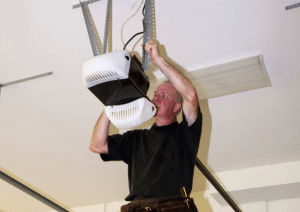
After cleaning and aligning the sensors, it’s time to power the system back up and check if the issue is resolved.
- Plug the garage door opener back into the outlet, or turn the breaker back on.
- Use your remote control or wall-mounted button to test the door.
- If the door closes smoothly and doesn’t reverse, the sensors are functioning correctly.
If problems persist, proceed to the next step to try a more thorough reset.
5. Reset Using the Opener’s “Learn” or “Reset” Button (If Needed)
Some garage door openers have a built-in reset feature accessed via a button labeled “Learn,” “Program,” or “Reset,” typically found near the antenna or light on the opener motor housing.
- Press and hold the button for 5–10 seconds until the LED light flashes.
- This action will erase old sensor and remote connections, forcing the system to resync.
- After releasing the button, reprogram your remotes and test the door again.
Consult your opener’s manual for specific instructions, as the reset process can vary slightly between brands like LiftMaster, Chamberlain, and Genie.
When Resetting Doesn’t Work: What to Do Next
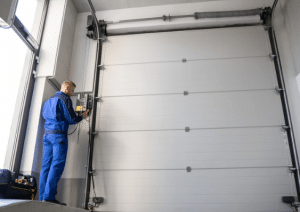
If you’ve followed the steps on how to reset the garage door sensor and your door still won’t close properly, the issue may be more complex:
- Check for damaged wiring and replace if necessary.
- Look for signs of moisture damage or corrosion near the sensors.
- Replace the sensors if one or both lights won’t turn on.
Professional help is recommended if you’re unsure how to proceed safely.
Frequently Asked Questions
How to fix malfunctioning garage door sensors?
Begin by gently cleaning the lenses with a soft cloth to remove any dirt or debris. Then check that both sensors are aligned and at the same height, directly facing each other. Also, inspect the wiring to ensure it’s intact and secure. If issues continue, try resetting the opener or replacing the sensors if necessary.
How do I fix my garage door sensor blinking red?
A red blinking light usually means the sensor is either misaligned or blocked. Carefully adjust the sensors until both lights turn solid, typically green or amber, depending on the model. Make sure there are no obstructions and the lenses are clean, and check the wiring for any loose or damaged connections.
How do you reset a garage door sensor?
To reset the sensors, start by unplugging the garage door opener or turning off the power at the breaker for about 30 seconds. While the power is off, make sure both sensors are clean and properly aligned, facing each other directly. Once power is restored, test the system—if alignment is correct, the sensors should automatically reset.
Why is my garage door sensor light blinking continuously?
Constant blinking often indicates a misalignment, blockage, or wiring problem. To resolve the issue, make sure the sensors are securely mounted, clean, and directly facing each other with no obstructions in between. Tighten any loose brackets and inspect for damaged wires.
Should both sensors be green on the garage door?
Usually, only the receiving sensor shows a green light, while the sending sensor often displays yellow or amber. The key is that both lights are steady and illuminated. If either light is off or blinking, it typically indicates a misalignment or obstruction.
Conclusion
Understanding how to reset your garage door sensor empowers you to troubleshoot one of the most common issues homeowners face. Often, the problem can be fixed simply by cleaning the sensors, realigning them, or using the opener’s controls to reset the system.
However, if problems persist after you’ve gone through the proper reset steps, it’s best to contact a garage door professional. Continued issues may point to deeper electrical faults or hardware failures that an expert should handle.
If you’re in the Hampton Roads, VA area, Wallen Garage Door Repair and Installation offers fast, reliable garage door sensor diagnostics and repair to get your system back on track.
End Note
Wallen Garage Door Repair and Installation in Hampton Roads, VA provides professional service and expert solutions for all types of garage door problems, including sensor issues. We have the combined experience and technical know-how to meet your specific needs and restore safety and functionality to your garage door.
Explore our complete list of services, including garage door installation in Hampton, residential garage door systems, and custom garage door design solutions. Try our door designer tool to visualize your perfect garage door, and see our service coverage in Yorktown, Carrollton, and Gloucester County.
Learn more about our team on the About page, see our work in the gallery, or read expert advice on our blog. Connect with us on Facebook, Instagram, and Pinterest. Want to join our team? Check out the careers page.
For trusted service and expert advice, choose Wallen Garage Door to keep your system operating safely and efficiently.
Wallen Garage Doors
1729 George Washington Memorial Hwy, Yorktown, VA 23693, United States
+17579260292